
The traditional classroom model is rapidly evolving as educational technology moves beyond simple digital textbooks and enters a new era of intelligent, interactive learning environments. In a significant step toward this future, Google has introduced a comprehensive suite of AI-powered software tools and new hardware for ChromeOS, aiming to redefine how educators manage their classrooms and how students engage with course material. Announced at the prestigious British Educational Training and Technology conference, these innovations are engineered to foster more dynamic collaboration, streamline complex administrative tasks, and personalize the learning journey. The focus is not merely on digitizing existing practices but on creating fundamentally new possibilities for instruction and productivity. These advancements signal a shift toward a more adaptive educational ecosystem where technology acts as a powerful partner for both teachers and learners, breaking down barriers to understanding and fostering a more engaging, efficient, and collaborative academic experience for everyone involved.
Empowering Educators with Enhanced Classroom Management
Streamlining Collaboration and Instruction
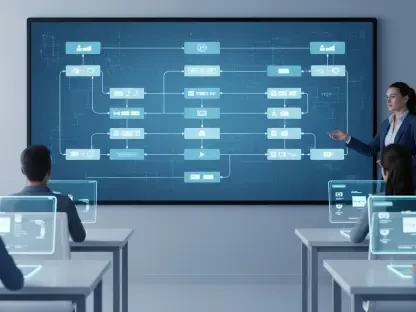
The cornerstone of the recent software updates is the expansion of “Class tools,” a set of real-time management features that promises to transform classroom dynamics. A key addition is the “Class tools display app,” a feature designed to break down the barriers between individual student workstations and whole-class instruction. With just a few simple clicks, educators can now seamlessly mirror their own screen or a student’s screen onto a central classroom display. This capability moves beyond simple presentation; it fosters a truly collaborative atmosphere where a student’s exemplary work can be instantly shared and celebrated, or a complex problem can be deconstructed as a group. This teacher-led screen sharing facilitates organic discussions and allows for a more fluid and responsive teaching style, enabling educators to guide the lesson’s flow based on real-time student progress and understanding, making the front of the classroom a dynamic and interactive hub for shared learning rather than a static focal point.
Building directly upon the new screen-sharing capabilities, Google has integrated a powerful annotation tool that allows teachers to interact with shared content in real-time. During a presentation or while showcasing a student’s work, an educator can now directly draw, highlight, or write on their screen to emphasize critical information, clarify instructions, or visually break down complex ideas. This functionality is pivotal for maintaining student focus, as it directs their attention to the most salient points of the lesson. Instead of passively observing a static screen, students are engaged in an active demonstration where concepts are built and explained visually. This interactive overlay helps bridge understanding gaps, especially for visual learners, and transforms digital presentations from a one-way broadcast of information into a two-way dialogue, making instruction more immediate, understandable, and impactful for the entire class.
Expanding Real-Time Engagement and Control
These new functionalities are designed to complement and enhance the existing suite of management features available on managed Chromebooks, such as live screen monitoring and the ability to lock student screens to command attention. By integrating screen mirroring and annotation, Google is creating a more holistic classroom control center. This unified system empowers educators not only to monitor student activity and ensure they remain on task but also to proactively guide the learning experience. The ability to seamlessly switch from observing individual progress to leading a group discussion or highlighting a specific concept gives teachers a level of flexibility and control that was previously difficult to achieve in a digital environment. This comprehensive toolkit is designed to support a variety of pedagogical approaches, ensuring that technology serves as a facilitator of learning rather than a distraction, enabling teachers to orchestrate a focused and productive digital classroom.
The true value of this expanded toolset lies in its adaptability to diverse instructional strategies. For instance, in a project-based learning environment, a teacher might use the screen-mirroring feature to allow different student groups to present their findings to the class directly from their Chromebooks, fostering peer-to-peer feedback. In contrast, during a direct instruction math lesson, the same teacher could use the annotation tool on their own shared screen to walk students through solving an equation step-by-step. This versatility ensures that the technology can be tailored to the specific needs of the lesson and the students. The power to effortlessly pivot between whole-class instruction, small-group collaboration, and individual support allows educators to create a more personalized and effective learning environment, leveraging technology to meet students where they are and guide them toward their learning objectives with greater precision and engagement.
Integrating Advanced AI and Hardware
Next-Generation Devices and AI Features
Supporting these powerful software advancements is a new lineup of versatile hardware designed for the modern classroom. The latest Chromebook Plus devices are now available in a range of form factors, including convertibles that can be used as both a laptop and a tablet, models with touchscreens and a stylus for natural input, and detachables for maximum portability. This variety offers schools the flexibility to choose devices that best suit their students’ needs and the dynamic nature of classroom activities. These machines are not just about form; they are equipped with advanced, on-device AI-powered features. A notable tool is “Text capture,” which can intelligently extract on-screen text and data, providing contextual recommendations and actions. Another innovative feature, “Quick Insert with Image Generation,” empowers educators to create high-quality, relevant AI-generated images directly within lesson plans and communications, adding a new layer of visual engagement and creativity to their teaching materials without requiring advanced design skills.
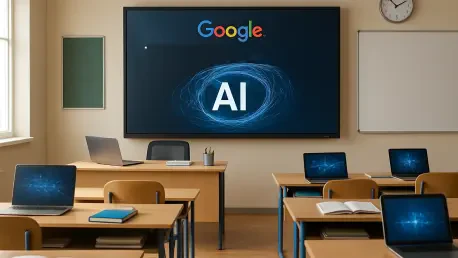
To ensure that schools can leverage these new ChromeOS capabilities without a complete overhaul of their existing infrastructure, Google and its partners have introduced new Chromebox OPS devices. Developed by companies like AOpen, LG, and CTL, these are compact, plug-in solutions designed to upgrade a school’s current front-of-class displays. By simply inserting one of these devices, an existing monitor or interactive whiteboard is transformed into a fully integrated ChromeOS device, gaining access to the entire ecosystem of management tools and applications. This approach provides a cost-effective and sustainable pathway for technological enhancement, allowing educational institutions to extend the life of their current hardware investments while still benefiting from the latest advancements. It represents a practical strategy for modernization, ensuring that the enhanced collaborative and instructional features are accessible to a broader range of classrooms, regardless of their current technological starting point.
Boosting Productivity with Generative AI
A significant leap forward in productivity for both students and educators comes with the integration of Gemini in Chrome, which is now rolling out to all Chromebook Plus devices. This brings powerful generative AI capabilities directly into the browser, designed to streamline research and information processing. The tool can provide instant insights and summaries of long articles, dense academic PDFs, or educational videos, helping users quickly grasp key concepts without getting bogged down in extraneous details. For students, this means more efficient research and study sessions. For educators, this functionality can dramatically accelerate the lesson planning process, allowing them to rapidly review and synthesize information from multiple sources to build comprehensive and engaging curricula. This browser-native AI assistant acts as a powerful co-pilot, enhancing productivity and deepening understanding across a wide range of academic tasks.
The integration of Gemini is not limited to content summarization; it is also designed to improve workflow and organization by seamlessly connecting with other essential applications. A convenient side panel allows users to access Google apps like Calendar directly from their current webpage, enabling them to schedule a study session or a meeting with a teacher without ever needing to switch tabs or interrupt their research flow. This cohesive experience minimizes context switching, a common drain on productivity, and keeps users focused on the task at hand. By embedding these generative AI and organizational tools directly within the primary interface for learning and work—the browser—the system fosters a more efficient and streamlined digital environment. This thoughtful integration ensures that powerful AI assistance is always just a click away, helping both students and teachers manage their time and tasks more effectively throughout the school day.
A New Chapter for Digital Learning
The strategic integration of advanced AI, flexible hardware, and intuitive classroom management tools marked a significant evolution in educational technology. These developments provided educators with unprecedented control and flexibility, allowing them to create more dynamic and interactive learning environments. Students, in turn, were equipped with powerful tools that streamlined research and boosted productivity. The focus shifted from simply providing digital access to actively enhancing the processes of teaching and learning. This suite of innovations paved the way for more personalized, collaborative, and efficient educational experiences, establishing a new benchmark for what was possible in the modern, technology-enabled classroom.